PVsyst near shading export: build the scene once, in your layout tool
A PVsyst near shading export is a file that carries your 3D shade scene from a layout tool into PVsyst, so nobody rebuilds the roof by hand. Solesca exports the scene as a .PVC file in both the 1.4 and 2.0 formats, plus a PVsyst zip file with the module, inverter, weather file, ohmic losses and shade scene already set. Your lender wants PVsyst. That is fine. The hours go into the near shading scene you rebuild before every run, and that is the part a layout tool can hand you.
What is a PVsyst near shading export?
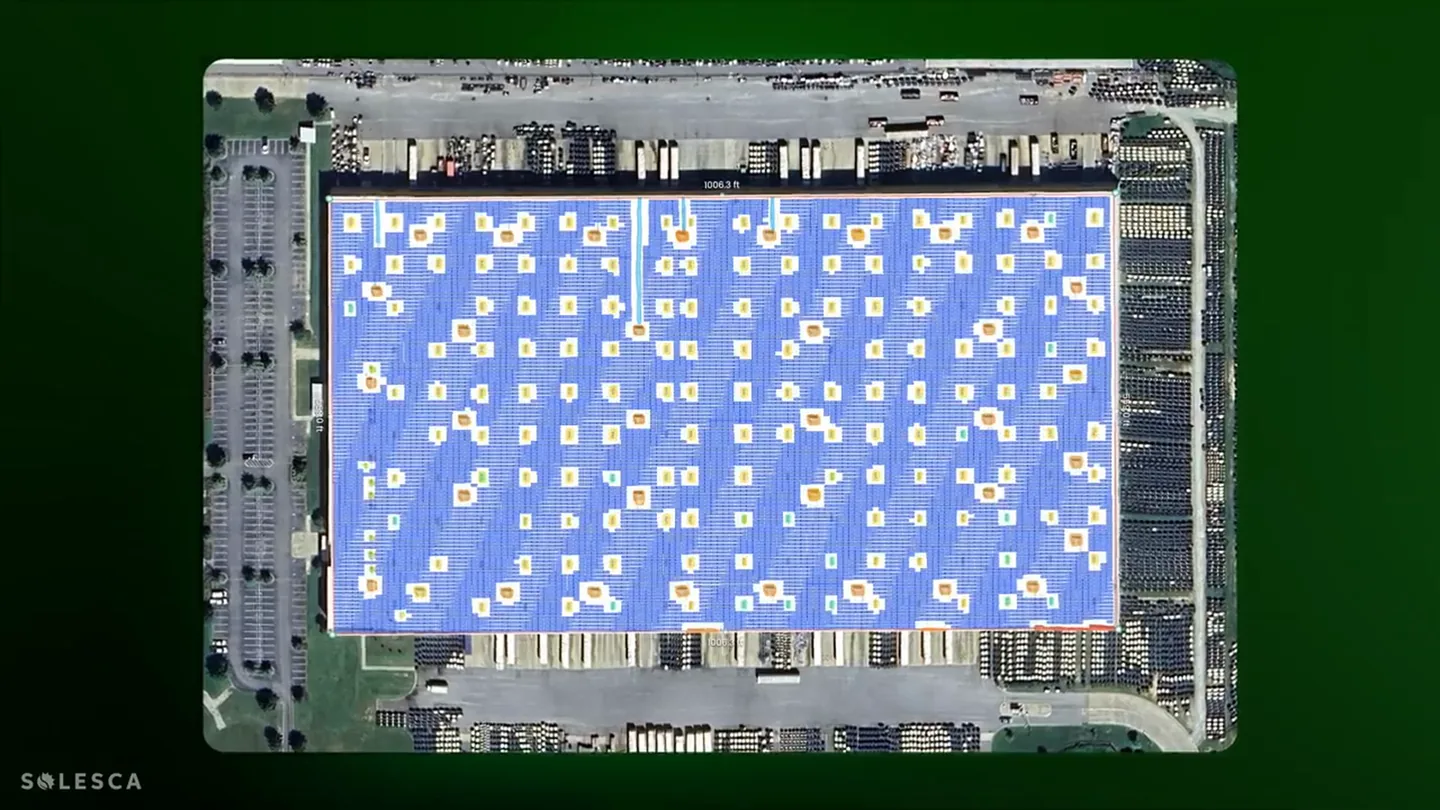
A PVsyst near shading export is a file that moves your 3D scene, the array plus every object that shades it, into PVsyst without redrawing it in the PVsyst 3D editor. Near shading means shade from objects close to the array: parapets, HVAC units, trees, neighboring buildings and the rows themselves.
Solesca gives you two versions of it. The .PVC file is the scene on its own. The project zip is the scene plus everything else PVsyst asks for.
PVsyst reads the format natively. PVC stands for PV Collada, an open exchange format for 3D PV scenes that PVsyst has imported since version 7.0. The PVsyst documentation on the PV Collada file format has the full specification.
What is in the PVsyst project zip?
The PVsyst zip file holds the full project: the module, the inverter, the weather file, your ohmic losses and the near shading scene. You open it in PVsyst and the project loads. If the zip carries an EXPORT_NOTES.txt, read it first: it lists any setting PVsyst needs you to review or enter by hand. From a finished layout to a PVsyst simulation, nobody draws anything in PVsyst.
| Export | What is in it | Use it for |
|---|---|---|
| .PVC shade scene (1.4 and 2.0 formats) | Array geometry and every shading object | The near shading scene in PVsyst |
| PVsyst project zip | Module, inverter, weather file, ohmic losses, shade scene | Opening the whole project in PVsyst |
| 8760 CSV | Hourly production for the first year | Financial models and utility applications |
| PDF report | P50 to P99, monthly yield, losses, shade report | Proposals and the lender’s first read |
| Layered DXF at scale | Layout, obstructions, setbacks | The CAD team |
All five come from the same design, so the numbers in the proposal and the numbers in the PVsyst run start from the same roof.
How long does a PVsyst shade scene take to build by hand?
A hand-built PVsyst shade scene takes anywhere from 30 minutes on a clean roof to a few days on a complex site. That is the range owner's engineers and developers have given us.
A few of the numbers we have heard:
- An engineering team said a messy rooftop runs two to three hours.
- A developer doing about 150 projects a year spent 15 to 20 minutes per project in SketchUp before the PVsyst work started.
- An owner’s engineer put it at an hour at least.
The time goes into the same places on every project. Tracing the roof outline and parapet heights. Placing every HVAC unit and skylight at the right height. Drawing tree lines. Then doing it again when the layout changes. All of it is data entry that an engineer should never have to do twice.
How much time does the export save a real team?
Onyx Renewables cut a full production estimate from two to four hours down to one to two by exporting the shade scene from Solesca instead of rebuilding it in PVsyst. Those are Onyx's own measurements on its own projects.
Onyx develops, owns and operates onsite solar for commercial and industrial customers, with more than 400 projects in operation. Four engineers carry every design from preliminary layout through construction. Before the export, they built each shade scene twice: once to design the system and once more inside PVsyst to model it.
“Redoing the shade scene and layout of the array, especially for rooftop systems, was a clear pain point for the team and a source of redundancy.”
| Step | Before | With the export |
|---|---|---|
| Design the system | In a preliminary design tool | In Solesca, about 30 minutes |
| Rebuild the shade scene | By hand, inside PVsyst | Removed. The .PVC export carries the design across |
| Model production | In PVsyst, on approximated geometry | In PVsyst, on the real module layout, about 30 minutes |
| Total per project | 2 to 4 hours | 1 to 2 hours |
The time is half the story. Because the scene transfers as designed, PVsyst runs its electrical loss calculations against the actual module layout, and Onyx says its early-stage estimates moved from indicative to definitive. When large RFPs landed, the team also avoided outsourcing layout work it had considered sending out.
Read the full story in the Onyx Renewables case study.
How do you export a near shading scene to PVsyst?
You design the array in Solesca, check the obstruction heights, and download the PVsyst file from the same menu as the report. Five steps:
- Draw the field. Trace the roof or the parcel in the 3D view. Solesca reads the roof height and tilt from the 3D model.
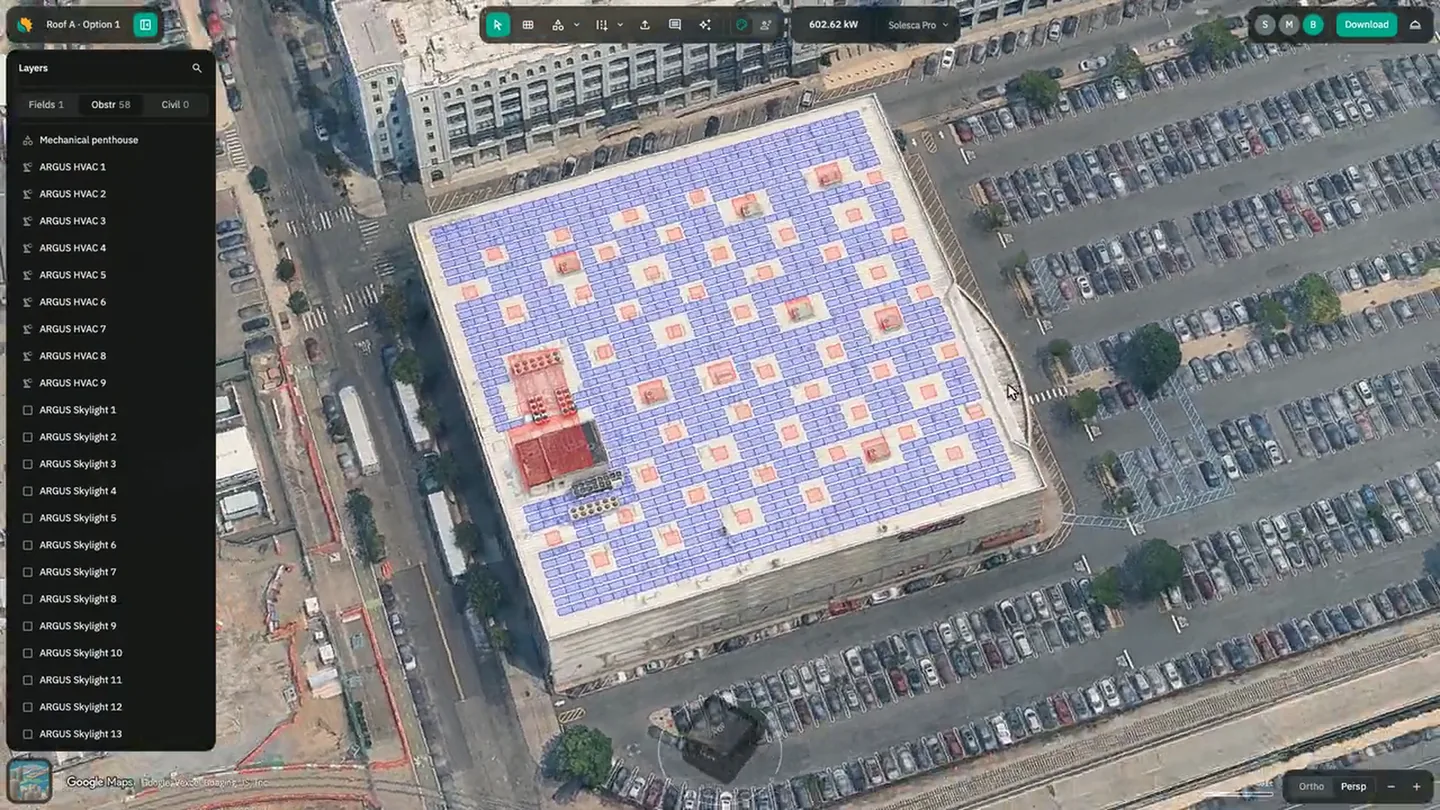
- Detect the obstructions. ARGUS AI finds the HVAC units, skylights, vents and drains and applies the setback you set for each type.
- Match heights to 3D. One button sets every obstruction to the height in the 3D model. Adjust any that look off.
- Add the trees. Draw a tree line and Solesca places individual trees at the heights it reads from the model.
- Download. Pick the .PVC scene (all fields, fixed only or trackers only, to match the PVsyst system) or the PVsyst project zip, then open it in PVsyst.
Where does the shade scene come from?
The shade scene comes from the design you already made. Solesca runs in a full 3D model of the site, so the roof, the surrounding buildings and the obstructions are in the scene before you think about PVsyst.
That changes the job in PVsyst. You check a scene instead of building one, and your engineer spends the afternoon on the losses, which is the part that needs an engineer.
Does the export work for ground mounts on terrain?
Yes, and the terrain comes into PVsyst with it. Solesca terrain tracking lays tables and tracker sections on 10 m bare-earth elevation, and the export carries the array into PVsyst as it sits on the ground.
This is one of the biggest benefits of the export. A sloped site is the slowest scene to build by hand and the easiest to get wrong, because every row sits at its own height. With the export, PVsyst shades the rows on the real slope and nobody rebuilds the ground.
What does the export not do?
The export does not import from PVsyst, and it does not replace PVsyst. The workflow runs one way, from Solesca to PVsyst.
Four honest limits:
- No PVsyst import. You start in Solesca.
- Heights come from 3D map data, not a survey. Check the ones that matter before you export.
- East-west fields stay out of the project zip. Their geometry goes across in the .PVC scene.
- PVsyst stays. Many lenders ask for it, and we think you should keep using it.
For the lender's side of the same question, read P50 vs P90 explained for commercial solar projects. To see how the model and the exports fit together, start with the Solesca energy model.
Common questions
What file does Solesca export for PVsyst near shading?
Solesca exports a .PVC shade scene in the 1.4 and 2.0 formats and, separately, a PVsyst zip file with the module, inverter, weather file, ohmic losses and shade scene.
Can I import a PVsyst project into Solesca?
No. The export runs one way, from Solesca to PVsyst.
Are the obstructions in the scene set at the right heights?
ARGUS AI detects and classifies roof obstructions, and one button matches their heights to the 3D model. You can adjust any height before you export.
Does the PVsyst export include losses and the weather file?
The project zip does. It carries the module, the inverter, the weather file, your ohmic losses and the shade scene. The .PVC file carries the shade scene only.
Is the Solesca energy model bankable on its own?
Solesca simulations validate within 1% of PVsyst, DNV SolarFarmer runs inside Solesca, California Energy Commission staff recommended the tool for certification, and every report carries P50 to P99. Many lenders still ask for PVsyst, which is why the export exists.
Can I get an 8760 from the same design?
Yes. The 8760 hourly CSV, the PDF report and the PVsyst export all come from one design.
How much time does a PVsyst near shading export save?
Onyx Renewables measured a full production estimate at one to two hours with the Solesca export, down from two to four hours when the team rebuilt the shade scene inside PVsyst by hand. Time saved depends on the size and complexity of the project.
Does the PVsyst export include terrain?
Yes. For ground mounts designed with Solesca terrain tracking, the terrain comes into PVsyst with the export, so the shade scene has the tables and tracker sections on the real slope.
See it on your own project
Bring a live roof or parcel and we will export it to PVsyst with you in 30 minutes.